
How to Read a Digital Sub-Meter: Commercial and Industrial Guide

Reading a digital sub-meter correctly is essential for accurate tenant billing, energy cost recovery, and consumption monitoring across commercial, industrial, and multi-tenancy properties. Whether you are managing a single phase DIN rail meter in an HMO or a three phase CT operated meter on an industrial supply, understanding how to interpret the display is the foundation of reliable energy management.

This guide covers how to read single phase and three phase sub-meters, how to interpret CT- operated readings, how solar PV import and export meters work, and how Modbus and pulse output data can be accessed for automated billing and remote monitoring systems.

What Is a Digital Sub-Meter?

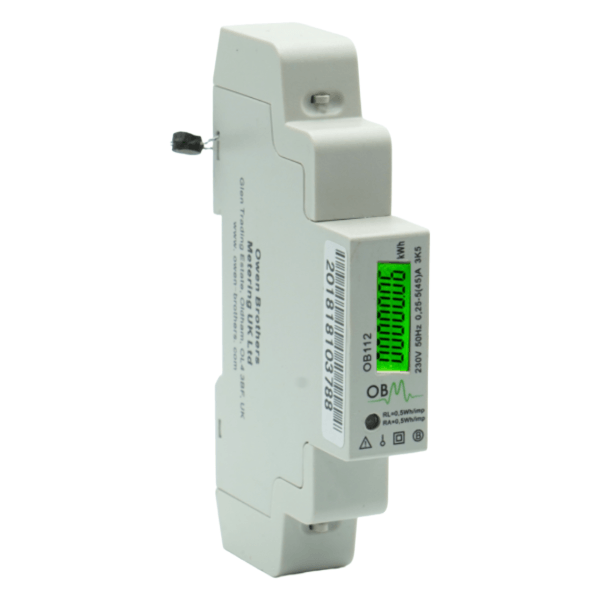
A digital sub-meter is a privately installed meter that sits downstream of the main utility supply, measuring electricity consumption for a specific unit, tenant, circuit, or piece of equipment. Unlike a utility meter, a sub-meter belongs to the property owner and is used to bill tenants, allocate energy costs, or monitor consumption across a site.

Owen Brothers supply digital sub-meters across several configurations, each read slightly differently depending on the installation type.

  • Single phase DIN rail meters (direct connected, up to 100A)
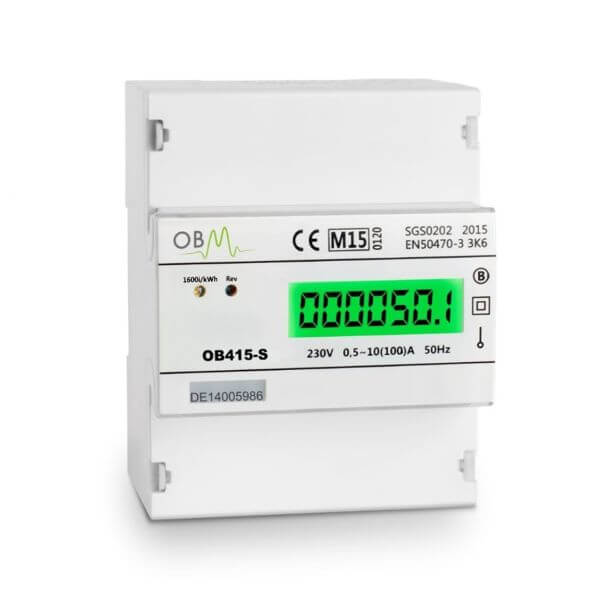
  • Three phase direct connected meters
  • Three phase CT operated meters (for loads exceeding direct connection limits)
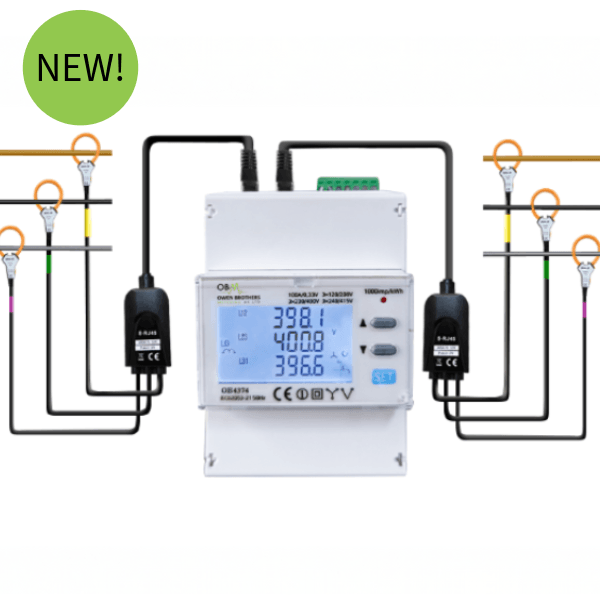
  • Three phase Rogowski coil meters (for high current or retrofit installations)
  • Solar PV import/export meters (for renewable generation monitoring)
UK trad image
UK trad image

How to Read a Single Phase DIN Rail Meter

Single phase DIN rail meters are the most common sub-meter type used in residential sub-metering, HMOs, and light commercial applications. They display total consumption in kWh on an LCD screen.

  • 1

    Locate the meter

    Single phase sub-meters are typically mounted on a DIN rail inside a distribution board, consumer unit, or dedicated meter enclosure.

  • 2

    Read the display

    The LCD shows a row of digits representing total kWh consumed since installation. Read the digits from left to right.

  • 3

    Record the reading

    Write down the full number shown, including any leading zeros. Ignore digits after a decimal point if present.

  • 4

    Calculate consumption

    Subtract the previous reading from the current reading to calculate the kWh used in that billing period.

How to Read a Three Phase Direct Connected Meter

Three phase direct connected meters are used where the full load current passes directly through the meter, typically for loads up to 100A. The display principle is the same as a single phase meter but the meter is measuring across all three phases of the supply.

Many three phase digital meters include a scroll or display button that cycles through additional readings beyond the headline kWh total, including voltage, current, and power factor per phase. Pressing this button allows you to check individual phase balance, which is useful for diagnosing uneven loading across a three phase supply.

  • 1

    Locate the meter

    Three phase meters are mounted on a DIN rail inside the distribution board or a dedicated metering enclosure, typically positioned close to the main incoming supply.

  • 2

    Read the primary kWh display

    The default screen on most three phase meters shows total accumulated kWh. This is your main billing reading.

  • 3

    Scroll for additional parameters

    Press the display button to cycle through voltage (V), current (A), and power factor (PF) readings for each phase if required for diagnostics.

  • 4

    Record and calculate

    Note the total kWh reading and subtract the previous reading to determine consumption for the billing period.

Owen Brothers: Three Phase Direct Connected Meters

→ Three Phase Direct Connected Meters
→ Browse All Three Phase Meters
→ Three Phase Meters in Enclosure

How to Read a CT Operated Three Phase Meter

For loads exceeding direct connection limits, current transformer (CT) operated meters are the standard solution for commercial and industrial sub-metering. External CTs clamp around the supply conductors and produce a proportional secondary current that the meter scales up to calculate actual consumption.

The OB4373 CT three phase meter, for example, is suitable for industrial and commercial sub-billing, renewables, and solar PV applications, supporting current ratings from 100A upward with a programmable CT ratio.

UK trad image
  • 1

    Confirm the CT ratio

    Before reading a CT operated meter, confirm the CT ratio programmed into the meter (for example 200:5, meaning the CTs step down a 200A supply to a 5A signal). This should be set correctly during commissioning and should not normally need adjusting when taking a reading.

  • 2

    Check phase balance if needed

    Scroll through the display to check current readings on each phase. If one phase shows a current reading that does not match the expected load, this can indicate a CT installed incorrectly or a fault on that phase.

  • 3

    Record the total and calculate consumption

    Note the total kWh figure and subtract the previous reading to find consumption for the billing period, exactly as with a direct connected meter.

Checking CT Installation

Most Owen Brothers CT-operated meters are designed for use with 5 A secondary CTs and, when correctly configured, display actual primary current, power and energy values without the need for manual calculation.

For example, if a meter is programmed for 100:5 CTs and 100:5 CTs are installed, the readings shown are the actual values. If the CT ratio is changed (for example from 100:5 to 200:5) but the meter configuration is not updated, the displayed readings may need to be multiplied by the ratio difference to obtain the true values.

Some legacy meter types do not automatically apply the CT ratio and may require manual multiplication of readings. Modern MID-approved meters, such as Owen Brothers' OB4373 range, automatically apply the programmed CT ratio and display actual primary values once correctly configured.

Always verify that the CT ratio programmed into the meter matches the installed CT ratio. An incorrectly configured ratio will result in under- or over-registration of energy consumption regardless of the CT rating fitted.

Owen Brothers: CT Operated Three Phase Meters

→ OB434 CT Three Phase Meter with Modbus
→ OB434 CT Three Phase MID RS485 Meter in IP66 Enclosure
→ Three Phase CT Operated Meters Range
→ Current Transformers Range
→ OB4373CT MID Approved DIN Rail CT Operated Three Phase Digital Meter
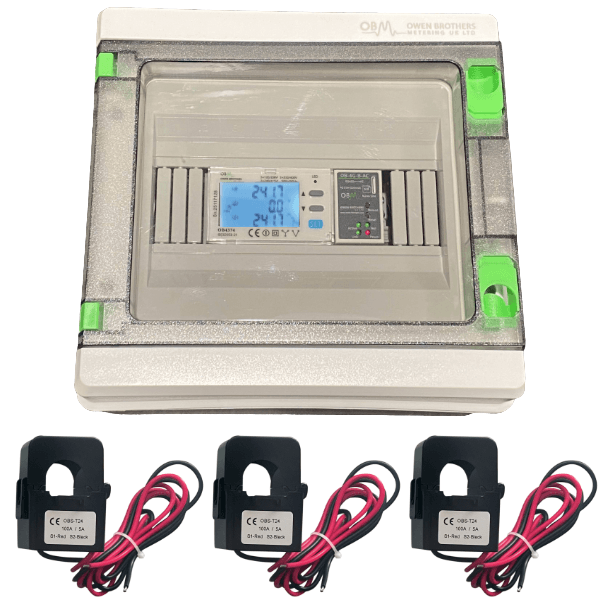
→ OB737CT Three Phase Full Metering Kit in IP66 Enclosure

UK trad image

How to Read a Rogowski Coil Meter

Rogowski coil meters are used for high current industrial loads or retrofit installations where the supply cannot be interrupted. Reading the meter display works the same way as a CT operated meter. The difference is in how the current sensing is achieved: a flexible coil wraps around the conductor rather than a rigid CT ring.

As with CT operated meters, the kWh figure on the display already accounts for the coil's measurement ratio. No manual calculation is required when taking a routine reading.

Owen Brothers: Rogowski Coil Meters

→ OB4374 Three Phase Meter with Rogowski Coils in IP66 Enclosure
→ OB4373 Three Phase Meter with Rogowski Coils in IP66 Enclosure
→ Rogowski Coils Range

How to Read a Solar PV Import and Export Meter

Properties with solar PV or other renewable generation often require a meter capable of recording both imported electricity (drawn from the grid) and exported electricity (surplus electricity sent back to the grid). These are sometimes called bi-directional meters.

On a bi-directional meter, the display typically cycles between two readings: one for total imported kWh and one for total exported kWh. It is important not to confuse the two when taking readings, particularly where export readings are used for Feed-in Tariff or Smart Export Guarantee payments.

UK trad image
  • 1

    Identify import vs export screens

    Press the display button to cycle through readings. Import is usually shown first, often labelled 'IMP' or with an arrow pointing into the property. Export is usually labelled 'EXP' or shown with an outward arrow.

  • 2

    Record Both Readings Separately

    Solar PV bidirectional meters typically display separate registers for imported electricity (energy taken from the grid) and exported electricity (surplus energy sent to the grid). Record each kWh reading separately and do not combine them.

  • 3

    Calculate net consumption if required

    For internal energy management, net consumption is calculated as import minus export. For FIT or SEG payment purposes, the export reading alone is what matters.

  • 4

    Submit readings on the correct schedule

    FIT generation and export meter readings are typically verified every two years as part of ongoing scheme compliance, though monthly or quarterly readings are common practice for record keeping and revenue tracking.

Owen Brothers: CT Meters Suitable for Solar PV Monitoring

→ OB434 CT Three Phase Meter with Modbus (Suitable for Solar PV)
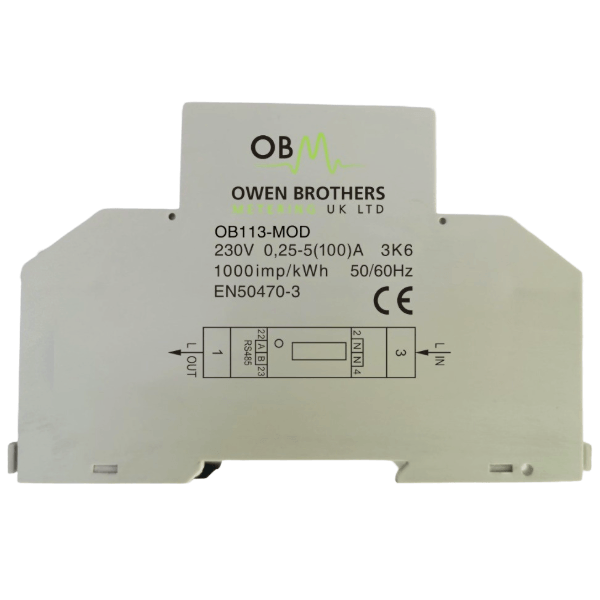
→ OB113-MOD 100A DIN Rail Bi-Directional Meter
→ Browse All Three Phase Meters

UK trad image

Reading Modbus and Pulse Output Data for Automated Billing

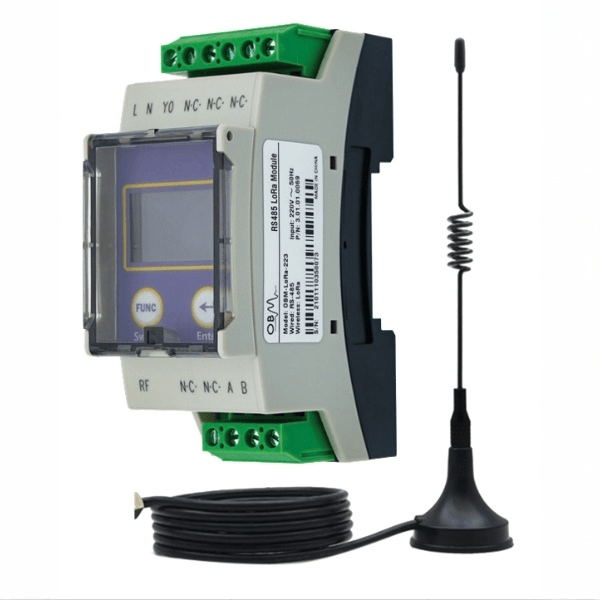
For commercial and industrial sites managing multiple sub-meters, manually reading each display is impractical. Many Owen Brothers meters, including the OB4373 range, support RS485 Modbus RTU communication alongside the standard LCD display, allowing readings to be collected automatically by a building management system (BMS) or remote monitoring platform.

Meters with pulse output provide an alternative method, generating an electrical pulse for each unit of energy consumed, which can be counted by a separate data logger or controller. This is a simpler, lower cost option than full Modbus integration, suitable for sites where a basic automated reading method is needed without a full BMS.

Modbus RTU: Allows multiple meters to be daisy-chained on a single RS485 cable and polled by a central controller. Provides access to detailed real time data including kWh, voltage, current, and power factor per phase, not just the headline consumption figure.

Pulse output: A simple, low cost option where the meter generates a pulse for each unit of energy used. Works with most BMS and basic energy monitoring setups.

How Often Should Commercial Sub-Meters Be Read?

For tenant billing in commercial and multi-tenancy properties, monthly or quarterly readings are common practice, allowing landlords to issue regular, accurate bills rather than relying on estimates. For industrial sites with high value energy costs, more frequent readings, often automated via Modbus, provide better visibility of consumption patterns and faster identification of unusual usage.

Properties generating revenue from solar PV export under FIT or SEG arrangements should keep accurate, dated records of export readings to support ongoing scheme compliance and revenue tracking.

Common Mistakes When Reading Digital Sub-Meters

Confusing CT ratio with the displayed reading: On correctly configured MID approved meters, the CT ratio is already applied internally. Do not manually multiply the displayed kWh figure unless specifically instructed by the meter's documentation.

Mixing up import and export readings: On bi-directional solar PV meters, always confirm which screen you are viewing before recording a reading. Submitting an export reading as an import reading, or vice versa, will cause billing and FIT payment errors.

Ignoring phase imbalance: If one phase shows significantly different current to the others on a three phase reading, this can indicate a wiring or CT installation issue. Flag this for an electrician to investigate rather than ignoring it.

Not recording the reading date: Always log the date alongside each reading. Without a consistent reading schedule, calculating accurate consumption for a specific billing period becomes difficult.

Remote Monitoring: Removing the Need for Manual Readings

For landlords and facilities managers with multiple sub-meters across one or more sites, manual reading rounds are time-consuming and prone to error. Owen Brothers' remote monitoring solutions automatically collect and transmit consumption data from compatible meters, removing the need for site visits entirely.

This is particularly valuable for portfolios with several HMOs, multi-tenant commercial buildings, or industrial sites where meters are spread across a wide area or are not easily accessible for routine manual reading.

Owen Brothers: Remote Monitoring

→ Remote Monitoring Overview
→ OB4373 Rogowski Monitoring Kit with 12 Months Remote Access
→ OB4373 CT Three Phase Online Monitoring Kit with 12 Months Remote Monitoring Access

UK trad image

Frequently Asked Questions

Do I need to manually calculate readings on a CT operated meter?

No, in most cases. MID approved CT operated meters such as Owen Brothers' OB4373 range apply the programmed CT ratio automatically, so the kWh figure shown on the display already reflects actual consumption. You only need to subtract the previous reading from the current reading to calculate usage for a period.

How do I read a solar PV import and export meter?

Press the display button to cycle through the screens until you find the import reading (usually labelled IMP) and the export reading (usually labelled EXP). Record both figures separately. Do not combine them, as they are used for different billing or payment purposes.

What is the difference between Modbus and pulse output on a sub-meter?

Modbus RTU allows multiple meters to be connected on a single cable and polled by a central controller for detailed real time data including voltage, current, and power factor. Pulse output is simpler, generating a pulse for each unit of energy used, suitable for basic automated monitoring without a full building management system.

How often should I read sub-meters in a commercial property?

Monthly or quarterly readings are common practice for tenant billing in commercial and multi-tenancy properties. Industrial sites or those with automated Modbus monitoring can collect data continuously for more detailed consumption tracking.

What should I do if a three phase reading shows uneven current across phases?

Significant imbalance between phases can indicate a wiring issue, an incorrectly installed CT, or an unbalanced load. Flag this to a qualified electrician for investigation rather than continuing to take readings without addressing the underlying cause.

Can sub-meters be read remotely without visiting the property?

Yes. Owen Brothers' remote monitoring solutions automatically collect and transmit consumption data from compatible sub-meters, giving landlords and facilities managers access to readings from any device without needing to visit the site.

Trustpilot